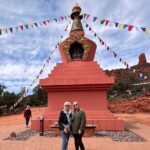
REVIEW · SEDONA
Sedona & Red Rock State Park Self-Guided Driving Audio Tour
Book on Viator →Operated by Adventures with Action · Bookable on Viator
Sedona by car, guided by stories. I like how this is a self-guided audio drive that plays automatically as you move, so you can stop for photos without losing the thread. The big win is offline access, which matters in Sedona when cell service gets spotty.
I also really appreciate the “go at your pace” setup. You’re not stuck with a bus schedule, and you can start, pause, skip, and backtrack as traffic and crowds change.
One drawback to plan for: the whole experience depends on your phone setup. You have to download the tour while you have strong Wi‑Fi/cellular, and a few app-and-audio syncing hiccups show up if your connection or Bluetooth settings aren’t right.
In This Review
- Key Points Before You Go
- Sedona on Your Own Schedule: How This Driving Audio Tour Really Feels
- Price and Value: $16.99 Per Group (Up to 4) vs. Guided Tours
- Getting Started at the Visitor Center: The First Audio Moment
- The South Route: Tlaquepaque, Cathedral Rock, and Sedona by Film-Set Stories
- Tlaquepaque Arts Shopping Village: Break for browsing and snacks
- Cathedral Rock Trail: The iconic formation (and a steep choice)
- The movie connection and Zane Grey in 1923
- Marg’s Draw and Courthouse Butte: Getting More Red Rock Without a Massive Commitment
- Marg’s Draw Trail: A mid-level introduction
- Courthouse Butte views and the loop around it
- Village of Oak Creek: Where the Main Tour Ends (and the Fun Doesn’t)
- Lover’s Knoll: Views and a wedding story vibe
- Crescent Moon Picnic Site and Red Rock State Park: The West Sedona Finale
- Crescent Moon Ranch Road and picnic time with Cathedral Rock in view
- Red Rock State Park: Wilderness trails, biking, and moonlight hikes
- Offline Setup and Car Audio: How to Avoid the Most Annoying Tech Failures
- Download with strong Wi‑Fi, then go offline
- Connect your phone to your car stereo before you start driving
- Make sure your phone meets the recommended requirements
- Expect occasional quirks, and know what to try
- Timing That Actually Works: 2–3 Hours Without Feeling Rushed
- Who Should Book This Sedona Audio Drive?
- Should You Book This Sedona and Red Rock Self-Guided Audio Tour?
- FAQ
- What is the price for the Sedona and Red Rock self-guided driving audio tour?
- How long does the tour take?
- Where does the tour start?
- Do I need cellular or Wi‑Fi during the tour?
- How does the audio start once I arrive?
- Do I need tickets or reservations for the stops?
- Can I pause the tour and resume later?
- Will the tour play in the car through my stereo?
- What hours is the activity available?
- Is there a cancellation refund if I change plans?
Key Points Before You Go
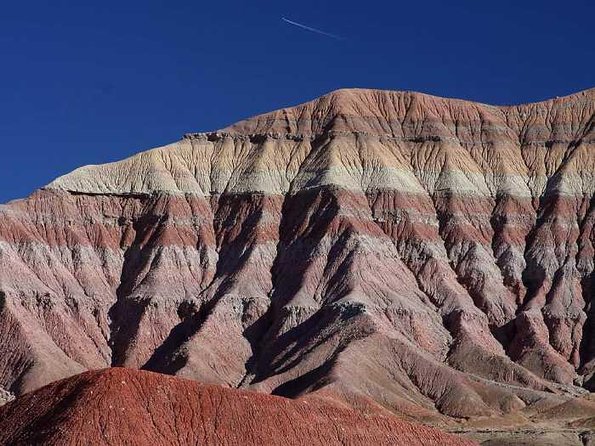
- Offline audio and maps let you keep going in remote sections
- Hands-free playback triggers by your location, so you do less tapping
- Iconic Sedona stops like Cathedral Rock, Courthouse Butte access, and Lover’s Knoll
- Price per car (up to 4 people) makes it a budget-friendly choice
- Lifetime access with no expiry means you can reuse it on later trips
- App setup is the make-or-break step for smooth audio in the car
Sedona on Your Own Schedule: How This Driving Audio Tour Really Feels
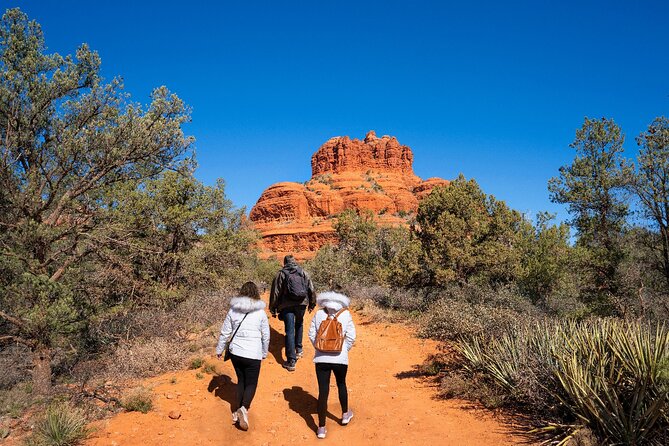
This isn’t a lecture at a fixed location. It’s a drive-and-listen day where you follow a route and let stories roll as you reach each audio trigger point. If you like to pause for viewpoints, take your time parking, or dodge slower traffic, this style fits Sedona well.
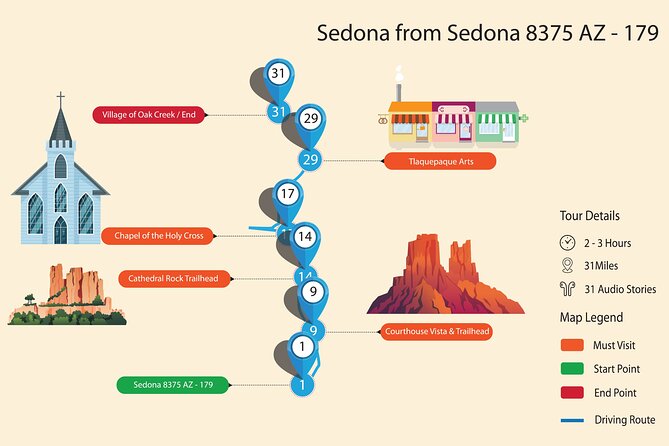
I like that it’s designed for real driving time, not a rushed scavenger hunt. The route is over 6 miles with more than 14 audio stories, and you should plan about 2 to 3 hours total if you do the stops at a comfortable pace.
You can also read our reviews of more guided tours in Sedona

Price and Value: $16.99 Per Group (Up to 4) vs. Guided Tours
You pay $16.99 per group for up to 4 people. That matters because Sedona tours often price per person, and parking and slow roads can make guided options feel timed and tight.
This one also includes lifetime access with no expiry and an offline-capable setup. If you’re the type who wants to re-visit a place or share the same route with a future friend, that long access is a real part of the value.
The trade-off is that you’re doing the planning and app setup yourself. When it works, it’s excellent. When the app isn’t downloaded properly or your audio routing is off, you’ll be leaning on troubleshooting instead of pure sightseeing.
Getting Started at the Visitor Center: The First Audio Moment
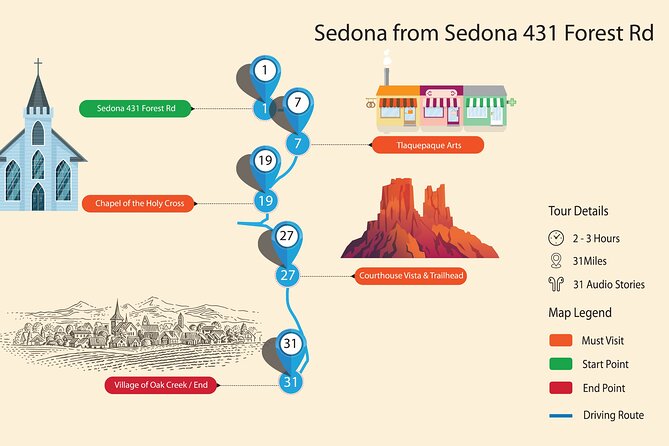
The tour begins at the Sedona Visitor Center / Chamber of Commerce area. Nobody meets you there, so the experience starts once you load the app and begin following the route.
Here’s the key: the tour can start as you drive through the first story trigger point, not necessarily because you walk into a specific building. If you open the app and use the directions to the starting point, your phone can also route you with Google Maps—then you switch back to the audio app once you arrive.
If you’ve had trouble with unclear start points on other audio tours, give yourself a little buffer. One experience in the feedback set described a long hunt for the starting point when directions weren’t clear. I’d rather you spend 10 minutes getting set up than 60 minutes second-guessing where you’re supposed to go.
The South Route: Tlaquepaque, Cathedral Rock, and Sedona by Film-Set Stories
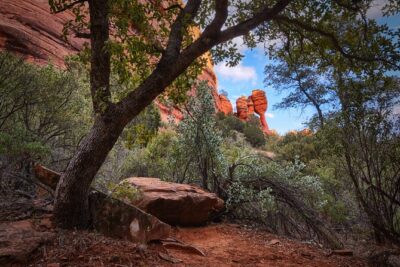
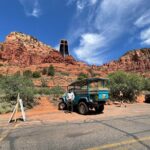
After you start near the Visitor Center, you’ll drive south through some of Sedona’s big-name sights—shops, galleries, and the red-rock scenery that makes people stop the car even when they’re not sure what they came for.
Tlaquepaque Arts Shopping Village: Break for browsing and snacks
One of the stops is Tlaquepaque Arts Shopping Village. It’s a good place to stretch your legs, browse local artisans, and refuel with a cafe or restaurant before you head into trail areas.
If you’re traveling with a mix of hikers and non-hikers, this kind of stop is useful. You can keep it short, or you can linger while others decide if they want to do more walking.
You can also read our reviews of more tours and experiences in Sedona

Cathedral Rock Trail: The iconic formation (and a steep choice)
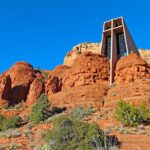
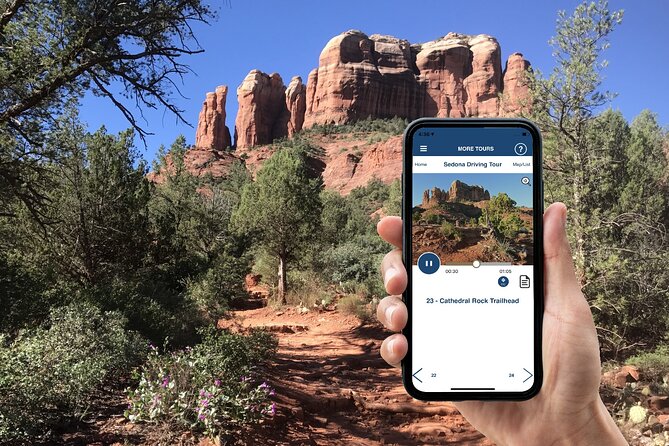
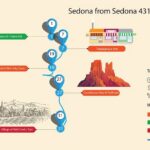
Next up is Cathedral Rock Trail, one of Sedona’s most famous hikes. The trail listed is about 1.2 miles and it’s steep, leading directly to Cathedral Rock—the horizon-dominating rock formation that defines classic Sedona views.
If you’re up for it, you’ll hear about the formation and the options for getting higher for better angles. If you’re not feeling steep today, you can still get value from being near the area and listening to the story while you take in the shape of the rock.
Practical note: there’s no ticket required for the trail area itself in the tour info, but you should still plan normal trail footwear and water for warm weather.
The movie connection and Zane Grey in 1923
After Cathedral Rock, the tour shifts into stories about Sedona’s unusual history and why the area became known beyond Arizona. You’ll hear about the founding of the town and its transformation into something like a film-set hotspot.
A specific highlight in the audio content is filmmaker Zane Grey arriving with a film crew in 1923. He shot the silent film Call of the Canyon, a western about a soldier returning from war. The point isn’t just trivia—the audio connects the landscape’s look to why Hollywood paid attention.
This is one of the moments where an audio tour beats a basic driving route: you’re not just looking at scenery. You’re getting the why behind it.
Marg’s Draw and Courthouse Butte: Getting More Red Rock Without a Massive Commitment
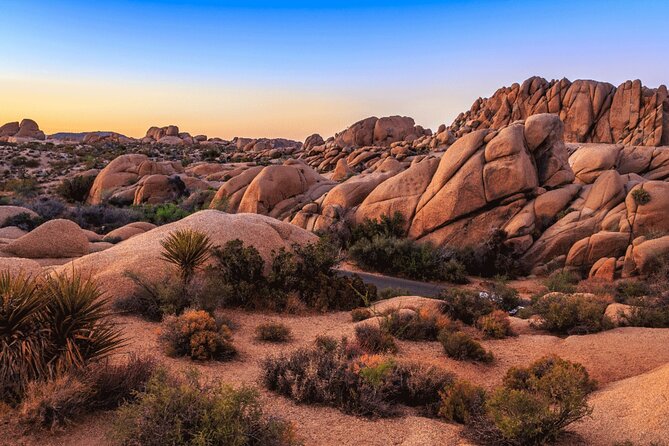
The route includes trailheads that feel like a step up from first-time sightseeing but aren’t a full all-day expedition. That’s ideal if you want red rock views and still plan to finish your drive in 2 to 3 hours.
Marg’s Draw Trail: A mid-level introduction
Marg’s Draw Trail is described as 4 miles out and back. It’s presented as a mid-level introduction to Sedona’s red rock hiking, and the audio content also notes seasonal bloom—like cactus flowers in spring.
If you’re not trying to conquer every trail today, this kind of length is a solid “taste” of Sedona walking. It also tends to be a better choice than the shortest viewpoint walks if you want to actually feel like you went hiking.
Courthouse Butte views and the loop around it
Next, you get access to a viewpoint for Courthouse Butte, described as one of the largest and coolest rock formations in the area. There’s also a 4-mile loop trail connected with the butte if you want to circle more of the formation instead of stopping at just one viewpoint.
The tour also mentions access to Bell Rock Vortex, a higher-energy site favored by spiritual visitors. You’ll decide what that means for you, but the practical benefit is that the audio gives you context before you go.
Village of Oak Creek: Where the Main Tour Ends (and the Fun Doesn’t)
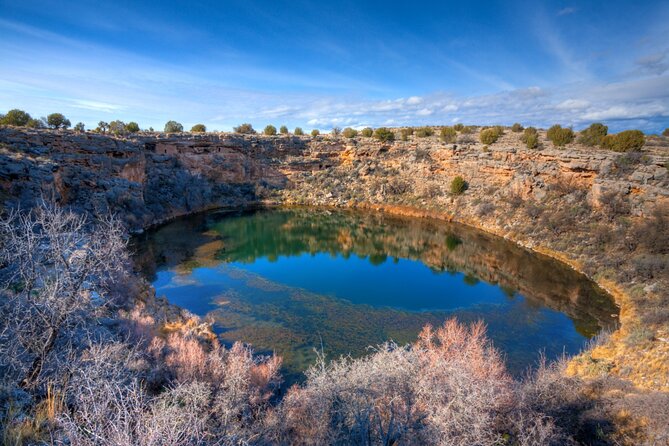
The tour continues to Village of Oak Creek, also known as “The Village.” This is a practical stop: you’ll find shops and restaurants, and the tour info even notes three huge golf courses for anyone who wants to hit the links.
This is where the main tour concludes, but you can still keep going if you choose a West Sedona bonus route. That’s a nice design for people who want a clear “finish line,” while still having an option to keep sighting if energy is high.
Lover’s Knoll: Views and a wedding story vibe
Another stop near this area is Lover’s Knoll, famous enough that many couples tie the knot there. Even if you’re not in wedding mode, it’s a straightforward place to stop, look out, and get your camera working.
Sedona’s big formations can be overwhelming. Lover’s Knoll is a good way to get a focused viewpoint without needing to hike again.
Crescent Moon Picnic Site and Red Rock State Park: The West Sedona Finale
The last stretch is where the scenery tends to feel more open and park-like, which is great if you want a calmer ending after town stops.
Crescent Moon Ranch Road and picnic time with Cathedral Rock in view
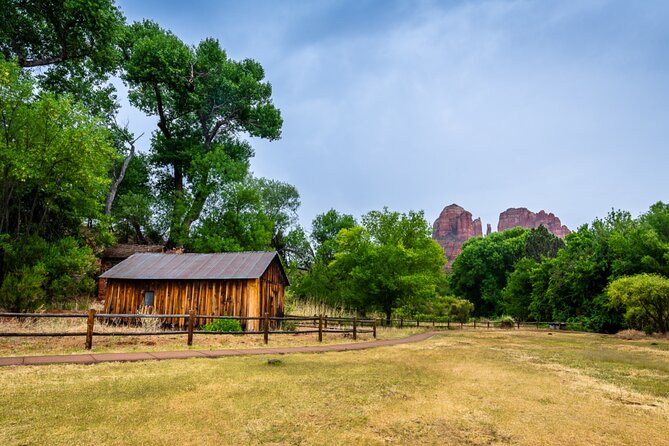
You’ll drive Crescent Moon Ranch Road, which includes hiking trails and picnic areas. A key highlight here is Crescent Moon Picnic Site, known for spectacular views of Cathedral Rock and noted as one of the most photographed views in Sedona.
Depending on season, the picnic site is also described as a potential swim spot. If swimming is on your mind, take cues from local conditions and your own comfort level with access around water.
Red Rock State Park: Wilderness trails, biking, and moonlight hikes
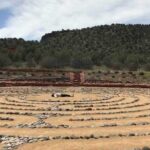
Finally, the route ends at Red Rock State Park, covering over 285 acres. The tour info points out hiking and biking trails, picnic areas, and even guided moonlight hikes when there’s a full moon.
This is the best kind of ending for a driving audio tour: you can wrap up with a trail, sit for photos, or just enjoy the park feel while the audio does its last story segments.
Offline Setup and Car Audio: How to Avoid the Most Annoying Tech Failures
This experience lives and dies by your setup. The tour is built to work offline after download, and that’s huge for Sedona. But you need to do the prep correctly.
Download with strong Wi‑Fi, then go offline
You’re told to download the tour while you have strong Wi‑Fi/cellular, then it works offline afterward. Some feedback also flagged that audio didn’t stay synced when the device wasn’t fully offline, so treat offline mode as part of the plan—not a bonus.
A practical move: only download the route you plan to use if the app offers different versions. One feedback reply noted there are two versions based on starting points, and downloading only the one you’re using can help with phone storage.
Connect your phone to your car stereo before you start driving
For the best experience, the tour suggests connecting your phone to your car using Bluetooth, USB, or AUX. Audio should be compatible with Apple CarPlay, with Android Auto support on the way.
If you’d rather listen without disturbing anyone in the car, headphones can help for walking segments, especially around trail areas.
Make sure your phone meets the recommended requirements
The tour info recommends:
- iPhone on iOS 15 or later
- Android version 9 or later
- iPad/tablet with GPS and cellular connectivity
I’d treat that as a “if you can, do this” checklist. Audio syncing relies on location, and GPS behavior is often better when the device matches recommendations.
Expect occasional quirks, and know what to try
Some feedback included audio repeating or stopping when the app wasn’t behaving. If that happens, the quickest fixes tend to be: pause and restart properly, check Bluetooth audio routing, and confirm you’re in the right tour version with your starting point and direction.
Also, if the map doesn’t show as expected, the app may still have a list and controls you can tap manually. The goal is to keep the audio triggers aligned with where you are.
Timing That Actually Works: 2–3 Hours Without Feeling Rushed
The route is designed for about 2–3 hours. That’s plenty of time if you:
- start on time,
- park once per cluster of sights,
- and keep hikes to what you can realistically finish.
You can also start and pause the tour whenever you like. That matters in Sedona because crowds can shift how long it takes to park and walk to a viewpoint. If you’re going during peak hours, build in extra time for the parts that aren’t controlled by the audio app.
My advice: aim to start earlier in the day. It improves the experience even if your app is perfect, because Sedona traffic and parking can be the real bottleneck.
Who Should Book This Sedona Audio Drive?
This fits you if you want:
- flexibility to stop for photos and decide how much hiking to do,
- a guided-feeling day without joining a group,
- and an affordable price that works for a car with multiple people.
It also makes sense if you care about the story behind Sedona’s fame. The audio doesn’t just list sights; it explains why Sedona shows up on film history timelines and how the area changed once Hollywood noticed it.
If you have limited mobility, you might still enjoy the audio while focusing on viewpoints and shorter stops, but the route does include trailhead access. Choose your walking level accordingly.
Should You Book This Sedona and Red Rock Self-Guided Audio Tour?
I’d book it if you’re comfortable doing a little tech prep and you want a flexible drive with strong red rock payoff. The offline feature is a big reason to choose it, and the price per car is hard to beat for a group.
I would not book it if you hate app downloading, don’t want to troubleshoot Bluetooth/audio, or you’re going in expecting the tour to feel as effortless as a staffed guide. For that style, you’d likely prefer a traditional guided tour where someone else handles the details.
FAQ
What is the price for the Sedona and Red Rock self-guided driving audio tour?
It costs $16.99 per group, and the group size is up to 4.
How long does the tour take?
Plan about 2 to 3 hours.
Where does the tour start?
The tour starts at the Sedona Visitor Center / Chamber of Commerce area.
Do I need cellular or Wi‑Fi during the tour?
No. You must download the tour while you have strong Wi‑Fi/cellular, but it works offline after that.
How does the audio start once I arrive?
Open the Action’s tour app once onsite. The audio is designed to begin automatically when you reach the first story point.
Do I need tickets or reservations for the stops?
No attraction passes, entry tickets, or reservations are included or required as part of the tour.
Can I pause the tour and resume later?
Yes. You can start and pause any time and come back later during your trip.
Will the tour play in the car through my stereo?
You can connect your phone to your car using Bluetooth, USB, or AUX. It is also compatible with Apple CarPlay.
What hours is the activity available?
The stated opening hours are 9:00 AM to 5:00 PM, Monday through Sunday.
Is there a cancellation refund if I change plans?
Yes. You can get a full refund if you cancel at least 24 hours before the experience’s start time.